Most small businesses select a time and attendance system the same way they pick office supplies: they find something that seems reasonable, buy it, and only discover the limitations months later when a payroll dispute surfaces or a compliance audit hits.
The cost of that approach is not just the wasted subscription fee. It is the payroll errors you normalised, the compliance exposure you did not see coming, and the hours your managers spent fixing timesheet problems that a better system would have caught automatically.
This comparison covers 9 time and attendance systems chosen specifically for small businesses operating in 2025 and 2026, including options built for the GCC market. Each one is evaluated on what actually matters when you have between 5 and 150 employees: payroll integration, geo-fence attendance enforcement, compliance protection, how hard it is to roll out, and what it costs when you scale.
Why the wrong system costs more than no system at all
There is an easy-to-see version of this problem: a manual spreadsheet where employees round their own hours and nobody checks. That is obvious. The harder version is when you have software, it just has no payroll connection, no break enforcement, and no GPS verification. You have the illusion of control without the substance of it.
Small businesses often underestimate 3 things when choosing a time-and-attendance system. First, the integration gap: a system that does not connect to your payroll provider means someone is still manually entering hours at pay cycle close, which is when errors compound. Second, the compliance lag: most small businesses only discover their system fails to track meal breaks and overtime correctly when they receive a labour authority notice. Third, the adoption problem: a system your team finds difficult to use consistently produces data that is almost as unreliable as no system.
"Payroll is typically the largest operating expense for a small business. The data feeding it should be held to the same standard as any other financial input."
Compliance note for 2025 and 2026
US federal and state break laws, UK Working Time Regulations, and Australian Fair Work Act provisions all carry escalating penalties for violations that stem from inaccurate or missing time records. The systems in this comparison vary significantly in how well they automate compliance tracking. This is not a minor feature distinction.
The 9 best time and attendance systems for small businesses in 2025
Each option below is evaluated on 5 criteria: who it is genuinely built for, how it handles payroll integration, what its compliance tooling looks like, what prevents fraudulent clock-ins, and where its limitations become relevant as you grow.
Best for GCC businesses — payroll-ready, geo-fence, multi-location
1. raidetime
Free tier: No
Market focus: GCC and MENA
GPS geo-fence: Yes, multi-location
Payroll export: Payroll-ready integration
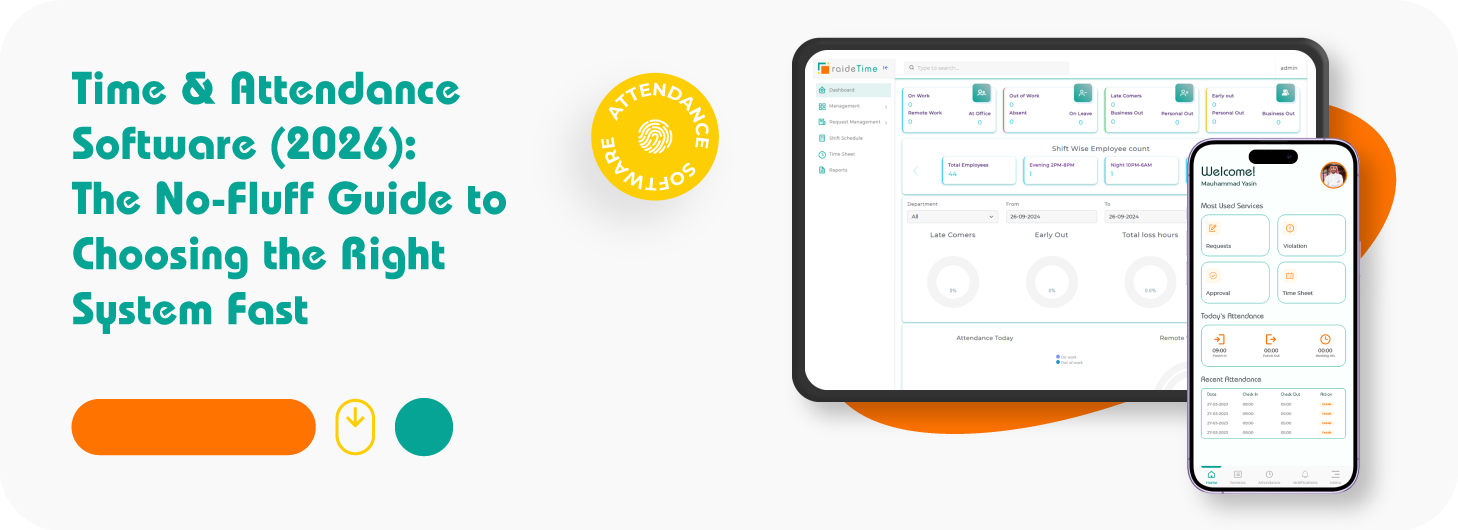
Most time and attendance software on this list was built for Western payroll structures, and it shows. WPS compliance, Arabic-language interfaces, and the shift patterns common in UAE, Saudi Arabia, Qatar, and Bahrain are typically bolted on as afterthoughts, if they exist at all. raidetime is built from the ground up for how GCC businesses actually operate.
Its geo-fence attendance is one of the most operationally practical implementations in this comparison. You set a geographic boundary per location, and the system restricts clock-ins to employees who are physically within that perimeter at the time of clocking in. For businesses managing staff across multiple sites — retail branches, construction zones, or service locations across an emirate — this removes the need to trust self-reported attendance entirely.
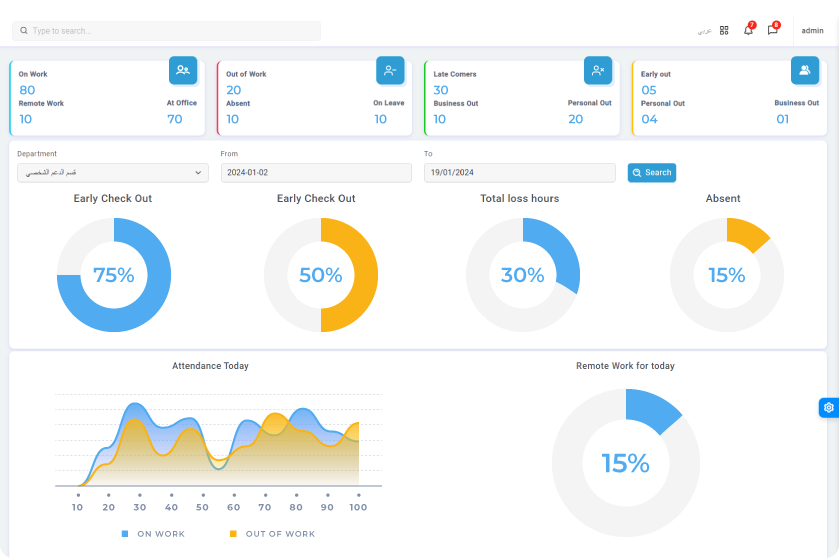
The multi-location configuration is a core architectural feature, not an add-on. Branch managers see only their site data while administrators maintain a unified view across the entire business. Permissions, approval workflows, and reporting all follow this structure, which makes it the right fit for a business with 2 locations today and a plan to reach 10.
The payroll-ready integration means timesheet data flows out of raidetime in a format that maps directly to payroll processing, cutting the close-of-cycle work that manual exports and reformatting typically create. For businesses that have experienced payroll discrepancies traced back to time data entry errors, this is where the financial case for switching becomes clear.
Why it earns the top position: The combination of GCC-specific payroll integration, geo-fence attendance enforcement, and multi-location configuration in a single platform removes the need to stitch together 2 or 3 separate tools. For a business operating in the Gulf, this solves the problems the other systems on this list were not designed to solve.
Best for retail and food service
2. Homebase
Free tier: Yes, 1 location up to 20 employees
Paid from: $24.95/month/location
GPS clock-in: Yes
Homebase earns its reputation in retail and food service because it was designed around the specific pain of hourly shift work. The free tier is genuinely functional, not a stripped demo, which makes it the easiest entry point for a business that has never used time tracking software before.
Its payroll integrations cover Gusto, ADP, Paychex, QuickBooks, and Square, which addresses the majority of small business payroll setups. Break and overtime alerts are built into the paid tiers. The clock-in interface works on any tablet or smartphone, which reduces the hardware cost of deployment to near zero for most teams.
Where it earns particular credit is in reducing the friction of staff adoption. Employees clock in through an app they download once and the manager dashboard shows who is on shift, who is late, and who missed a break, in real time.
Limitation worth knowing: Multi-location management becomes expensive quickly. If you operate across 3 or more sites, the per-location pricing model makes Homebase significantly more costly than competitors with per-user pricing.
Best for hospitality and complex scheduling
3. Deputy
Free tier: No
Paid from: $4.50/user/month
GPS clock-in: Yes
Deputy is the system that hospitality businesses tend to end up with after they outgrow a simpler tool. Its time and attendance features are strong, but its real differentiation is how tightly scheduling and time tracking are connected. When you build a shift schedule in Deputy, the system knows who was supposed to be where and when, and it flags discrepancies between scheduled and actual attendance automatically.
Compliance is a genuine strength. Deputy handles US meal break enforcement, UK Working Time Regulation rules, and Australian Fair Work requirements. For businesses that operate across jurisdictions or have complex enterprise bargaining agreements, this level of compliance automation removes a significant administrative burden.
The facial recognition clock-in option, available on paid plans, is one of the more effective buddy punching prevention mechanisms available at this price point.
Limitation worth knowing: Deputy's interface has a higher learning curve than Homebase or Clockify. For a business where the manager is also the owner and has limited time for onboarding, this is a real cost. Factor in 2 to 3 weeks for full team adoption.
Best for deskless and field-based teams
4. Connecteam
Free tier: Yes, up to 10 users
Paid from: $29/month (small business plan)
GPS clock-in: Yes, with geofencing
Connecteam is built for teams that do not sit at a desk, which makes it the right answer for cleaning companies, delivery operations, construction crews, care workers, and any other business where employees are physically dispersed across multiple sites or routes throughout the day.
Its GPS geofencing feature is notably more rigorous than most competitors at this price tier. You define a geographic perimeter for each job site, and the system will only allow a clock-in when the employee is physically within that boundary. This removes location-based time fraud at the source rather than attempting to audit for it after the fact.
The communications module, which is included in all paid tiers, means managers can assign tasks, share job information, and confirm staff availability through the same app employees use to clock in. For field operations, eliminating the WhatsApp-and-spreadsheet combination is often the biggest productivity gain.
Limitation worth knowing: Payroll integrations are more limited than Homebase or QuickBooks Time. Connecteam connects to Gusto and QuickBooks but lacks the depth of integrations some businesses need. If your payroll setup is non-standard, verify compatibility before committing.
Best free option with geo-fence — global and GCC-friendly
5. Jibble
Free tier: Yes, unlimited users
Paid from: $2.49/user/month
GPS geo-fence: Yes, on free and paid plans
Jibble is the only option in this comparison that offers GPS geo-fence clock-ins on a genuinely free plan with no user cap. For a small business that needs location-verified attendance but cannot justify a monthly subscription yet, this is a meaningfully different proposition from Clockify or similar free tools that strip out location features until you upgrade.
The geo-fence implementation works at the job site level. You define each location boundary in the admin portal, and employees can only register a clock-in when their device GPS confirms they are within range. Jibble also supports facial recognition clock-ins on its paid plans, which gives it a second layer of fraud prevention that most free-tier systems do not offer at any price.
For GCC-based businesses, Jibble is worth evaluating as an entry point: it handles multiple time zones, supports Arabic language in the employee app, and its timesheet exports are clean enough to feed into most regional payroll processes without significant reformatting. It is used across the UAE, Saudi Arabia, and wider MENA by teams in construction, hospitality, and field services.
Overtime calculations, break tracking, and detailed compliance reporting are available on paid tiers. The free plan is best suited to businesses whose primary need is location-verified clock-ins and basic timesheet records, not full compliance automation.
Limitation worth knowing: Jibble's payroll integration depth is limited compared to QuickBooks Time or Homebase. It connects to some payroll providers but the integrations are less mature. Businesses with complex payroll configurations may find the export-and-import route adds a step they were hoping to eliminate.
Best for project-level time tracking on a zero budget
6. Clockify
Free tier: Yes, unlimited users
Paid from: $3.99/user/month
GPS clock-in: On paid plans
Clockify offers unlimited users on its free plan, which makes it the only genuinely free option in this comparison that scales beyond a handful of employees. For a business with tight margins that primarily needs accurate hour tracking and simple reporting, Clockify is a defensible choice.
The tradeoff is that its free plan lacks automatic breaks, overtime calculations, and compliance alerts. You get data capture without the layer of intelligence that turns raw time records into a compliance and payroll-ready output. Upgrades unlock these features, but at that point the per-user cost becomes comparable to Homebase or Deputy.
Clockify's reporting is its quiet strength. Even on the free tier, you can generate detailed timesheet reports filtered by employee, project, or date range, which is more granular than some paid alternatives.
Limitation worth knowing: Clockify was designed primarily as a project time tracker, not a workforce scheduling and attendance system. If you need scheduling, shift management, or labour law compliance built in, you will be working around the tool rather than with it.
Best for existing QuickBooks payroll users
7. QuickBooks Time
Free tier: No
Paid from: $20/month base + $8/user/month
GPS clock-in: Yes
If your business already runs payroll through QuickBooks Online, QuickBooks Time is the path of least resistance. The integration is native rather than synced through a third-party connector, which means approved timesheets flow directly into payroll without any manual data transfer.
The GPS tracking is strong, with real-time location visibility that is particularly useful for businesses with mobile crews. Overtime alerts and break tracking are included. The Who's Working window gives managers a live view of employee status across all job sites simultaneously.
QuickBooks Time is not notably innovative in its feature set, but for a business where the primary requirement is clean, reliable data flowing into QuickBooks payroll, it removes more friction than any other option.
Limitation worth knowing: The pricing model can be expensive for very small teams. The base fee plus per-user charge adds up quickly at under 10 employees. If you are not already inside the QuickBooks ecosystem, the integration advantage does not justify the price premium versus alternatives.
Best for scheduling and attendance in one platform
8. When I Work
Free tier: No
Paid from: $2.50/user/month
GPS clock-in: Yes
When I Work positions itself as the operational system for hourly teams, combining scheduling, time tracking, and team messaging into a single platform. The pricing is among the lowest per-user of any option in this comparison, which makes it a strong fit for businesses with lean margins and a larger hourly workforce.
The schedule-to-attendance connection is fluid. Employees can see their schedule, request shift swaps, and clock in from the same app, and managers receive alerts when scheduled staff do not clock in within a set time window. This early warning reduces the no-show cost that operational businesses absorb when they find out too late.
Payroll integrations include ADP, Gusto, Paychex, and Square. The compliance tooling covers overtime and break tracking on paid plans.
Limitation worth knowing: When I Work's reporting depth is thinner than Deputy or Homebase on comparable plans. For businesses that need detailed labour cost analysis or multi-department reporting, the output may require additional processing before it is decision-ready.
Best for growing businesses unifying HR and time
9. BambooHR time tracking
Free tier: No
Paid: Custom pricing, typically mid-market
GPS clock-in: No
BambooHR approaches time and attendance from the HR platform direction rather than the operations direction. If you are a small business that is growing toward 50 to 150 employees and you need HR, onboarding, performance management, and time tracking to live in one system, BambooHR is the most coherent choice in that range.
Because employee records, employment history, and time data all sit in the same database, you avoid the synchronisation errors that come from having separate HR and time systems that have to talk to each other. When an employee's role, rate, or status changes, the update flows through automatically.
Its time and attendance module handles PTO requests, shift tracking, and overtime, with reporting that connects time data to broader workforce analytics. The approval workflows are more sophisticated than any other option in this list.
Limitation worth knowing: BambooHR does not include GPS clock-in, which means it is not the right fit for field-based or multi-site hourly workforces where location verification matters. It is best suited to office-based or hybrid teams where the main need is accurate time capture and leave management rather than physical location enforcement.
Side-by-side comparison: 9 systems at a glance
| System |
Best for |
Free tier |
Payroll integration |
GPS / geo-fence |
Break/OT compliance |
Starting price |
| raidetime |
GCC, multi-location businesses |
No |
Payroll-ready |
Geo-fence, multi-site |
Yes |
Contact for pricing |
| Homebase |
Retail, food service |
Yes |
Strong |
Yes |
Paid plans |
Free / $24.95/mo |
| Deputy |
Hospitality, scheduling |
No |
Strong |
Yes + facial |
Strong |
$4.50/user/mo |
| Connecteam |
Field and deskless teams |
Yes (10 users) |
Limited |
Geofenced GPS |
Basic |
Free / $29/mo |
| Jibble |
Free geo-fence, GCC-friendly |
Unlimited users |
Limited |
Geo-fence on free |
Paid plans only |
Free / $2.49/user/mo |
| Clockify |
Project time tracking |
Unlimited users |
Paid plans only |
Paid plans only |
Paid plans only |
Free / $3.99/user/mo |
| QuickBooks Time |
QuickBooks payroll users |
No |
Native QB |
Yes |
Yes |
$20 + $8/user/mo |
| When I Work |
Scheduling + attendance |
No |
Yes |
Yes |
Yes |
$2.50/user/mo |
| BambooHR |
HR-integrated, 50 to 150 staff |
No |
Yes |
No |
Yes |
Custom quote |
What is changing in time and attendance in 2025 and 2026
The category is not static. 4 trends are reshaping what small businesses expect from these systems and what they will pay for.
AI-driven scheduling optimisation
Biometric clock-in becoming standard
Real-time labour cost visibility
Geofencing replacing hardware timeclocks
Cross-jurisdiction compliance automation
Payroll API connections replacing CSV exports
The shift worth paying attention to is the move from hardware timeclocks to GPS and biometric mobile clock-ins. Businesses that invested heavily in physical clock-in terminals 3 to 5 years ago are now running parallel systems because their workforce became more distributed. The systems that will serve small businesses best through 2026 are those built mobile-first from the ground up.
Related guide
How geo-fence attendance systems work — and when they are the right call
If location-verified clock-ins are part of your decision criteria, this guide covers how geo-fence attendance systems are configured, what the common failure points are, and how to evaluate whether the boundary logic fits your site layouts.
Read the geo-fence attendance guide
How to choose the right time and attendance system: 5 decisions that matter
Choosing between these 9 options is not about finding the one with the most features. It is about matching the system to the specific operational context of your business. These are the 5 decisions that narrow the field.
1
Map your payroll connection first
Identify your payroll provider and check native integrations before anything else. A system that exports CSV files instead of connecting directly will create ongoing manual work that compounds with every pay cycle.
2
Identify your clock-in environment
Office-based teams need different verification than field crews or retail staff. If your employees are physically distributed, GPS geofencing or facial recognition is not optional, it is your fraud prevention layer.
3
List your compliance requirements explicitly
Write down the specific labour laws that apply to your locations: meal break rules, overtime thresholds, and record-keeping mandates. Then verify each system automates these rather than relying on manual enforcement.
4
Calculate your true total cost
Compare the subscription fee against the manager hours currently spent on timesheet corrections, the payroll error rate, and any compliance penalties already incurred. Most businesses find the break-even point is within 60 days.
5
Test adoption before committing
Run a 2-week pilot with 1 team or location. Measure how consistently staff clock in and how many exceptions managers have to handle. Low adoption during a pilot predicts the same problem at full deployment.
Before you switch: the checklist that prevents regret
Most switching costs in time and attendance software come from gaps that were not discovered during evaluation. These are the 8 checks worth completing before signing any contract.
- Confirm native integration with your specific payroll provider, not just a claimed integration
- Verify break and overtime compliance covers every jurisdiction your business operates in
- Test the employee-facing clock-in experience on the actual devices your team uses
- Check whether historical time data can be imported from your current system
- Review the data export options in case you need to switch again in the future
- Calculate the per-user or per-location cost at your expected headcount in 18 months, not just today
- Confirm customer support response times match your operational hours
- Run a 2-week pilot with a real team before full deployment
Definitive guide
The complete guide to time and attendance software — everything before you decide
Before committing to any system, there is a broader evaluation framework worth working through: what features actually matter at your size, how to read a demo critically, and what the total cost of switching looks like when you factor in adoption and setup.
Read the definitive time and attendance guide
Not sure which of these fits your specific setup?
The right system depends on your payroll provider, your team's clock-in environment, and the compliance requirements in your jurisdiction. Get a structured breakdown based on your actual situation rather than a generic recommendation.
Evaluate your current setup with raidetime
Frequently asked questions
How much does time and attendance software cost for a small business?
Most time and attendance software for small businesses costs between $2 and $8 per employee per month. Some platforms offer free tiers for very small teams. The more meaningful number to calculate is what inaccurate timekeeping is already costing you in payroll errors, compliance risk, and manager hours lost to manual corrections. For most businesses with 10 or more hourly employees, the software pays for itself within the first month.
Which time and attendance systems actually prevent buddy punching?
PIN-based systems do not reliably prevent buddy punching. The systems that do prevent it use GPS-verified clock-ins, facial recognition, or device-locked clock-ins that tie a clock-in to one specific phone or tablet. Platforms like Connecteam, Deputy, and Homebase all support at least one of these methods. Buddy punching is estimated to cost US employers $373 million per year, which makes verification features a core consideration for any business with hourly staff.
What should a small business prioritise when choosing time and attendance software in 2025?
3 things matter most: payroll integration, compliance support, and adoption ease. A system that does not connect to your payroll provider creates a second source of manual data entry and defeats the purpose. Compliance tools like automatic break tracking and overtime alerts matter especially in the US and UK where labour law violations carry real financial penalties. And if your team will not use the system consistently, the accuracy problem never goes away regardless of how capable the software is.